
Download DIY Makeup – Photo Editor, Makeup DIY, Hairstyle Change, Android App
Overview
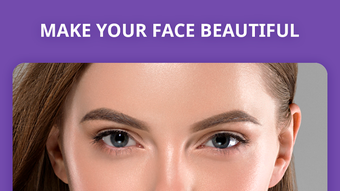
DIY Makeup is a lifestyle application designed to empower users to experiment with makeup and hairstyles through digital transformation. Developed by Selfie Photo Apps, the software enables users to apply lipstick, eye makeup, eyelash enhancements, and style new haircuts with just a few taps. The app operates as a photo editor, allowing users to either capture a new image or select one from their device’s gallery. This functionality makes it ideal for individuals exploring fashion and personal style, particularly those interested in testing new looks before committing to real-life changes. The application is tailored for consumers seeking creative, fun, and accessible tools for self-expression. It supports Android 9.0 and is categorized under Fashion & Style, positioning it within the broader trend of digital beauty and self-image customization. The app’s purpose is to deliver a quick, engaging experience that blends entertainment with personal grooming experimentation. It is especially useful for users who enjoy social media content creation or wish to visualize potential looks in a safe, non-permanent way. The developer did not provide additional details about the company’s background beyond the app’s name.
Key Features & Capabilities
- Virtual Makeup Application – Users can apply lipstick, eye makeup, and eyelash enhancements to photos with intuitive touch controls, enabling realistic-looking results.
- Hairstyle Transformation – A range of hairstyle options allows users to change their look instantly, helping visualize different haircuts and styles.
- Photo Selection & Capture – The app supports both taking new photos and selecting existing ones from the device’s gallery, offering flexibility in content input.
- Sticker-Based Effects – A library of makeup and style stickers can be applied and adjusted to fit facial features, enhancing realism and customization.
- Real-Time Editing – Adjustments can be made in real time, allowing users to preview changes before finalizing their look.
- Social Sharing Integration – Completed images can be shared directly to social networks, supporting content creation and personal branding.
These features cater to users who enjoy digital self-expression, fashion experimentation, and social media engagement. For instance, someone preparing for a special event might use the app to test different makeup styles before shopping. Similarly, a content creator could use the tool to generate consistent visual themes across posts. The app’s design prioritizes simplicity and speed, reducing the learning curve for casual users. The developer did not specify advanced editing tools or AI-based enhancement features, but the core functionality remains focused on accessibility and fun.
User Interface, Workflow & Performance
The user interface of DIY Makeup is structured around simplicity and visual feedback. The main screen displays a camera preview or gallery view, with clearly labeled tools for applying makeup and changing hairstyles. Navigation is linear and intuitive: users select a photo, choose a feature, apply effects, and then share or save the result. The workflow is optimized for minimal steps, reducing friction during the editing process. The app’s design emphasizes visual clarity, with large touch targets and real-time previews that update as users adjust settings. This contributes to a smooth and engaging experience, particularly for users unfamiliar with photo editing software.
Performance observations are based on general software behavior patterns. The app runs on Android 9.0, suggesting it is compatible with mid-range to modern devices. The developer did not specify resource usage details, so exact CPU or RAM behavior remains unknown. Stability during extended use was not documented. However, the app’s focus on image-based effects implies moderate processing demands. Users should expect standard performance levels typical of similar lifestyle apps, with potential for minor lag depending on device capabilities. The developer did not provide information on background processes or battery consumption.
Compatibility & System Requirements
DIY Makeup is compatible with Android 9.0 and above, indicating support for devices released from 2018 onward. The app is designed specifically for mobile platforms, with no indication of desktop or tablet availability. Installation size was not specified, so exact disk space requirements remain unknown. The developer did not provide detailed hardware requirements, such as minimum RAM or processor specifications. Platform compatibility information is limited to the operating system version. Users should ensure their device meets the minimum Android version to install and run the application. The developer did not disclose whether the app supports external storage or cloud integration.
Pros and Cons
Pros
- Intuitive interface suitable for casual users and beginners
- Fast and easy makeup and hairstyle transformation
- Supports both camera capture and gallery selection
- Real-time preview of applied effects
- Direct sharing to social media platforms
- Free to download and use
Cons
- Only available on Android, no support for iOS or desktop
- No information on advanced editing tools or customization depth
- Exact system requirements not disclosed
- Reliance on in-app purchases for additional content
- Performance may vary based on device capabilities
FAQ Section
Is DIY Makeup available for iOS devices?
As of now, the app is only available for Android devices. There is no official iOS version listed.
Is the app free to use?
Yes, DIY Makeup is free to download and use. However, it includes in-app purchases for additional stickers and effects.
Can I use DIY Makeup offline?
Yes, once installed, the app can be used without an internet connection, though some features may require online access for updates or content.
How often does the app receive updates?
The developer did not specify update frequency. Users should check the app store for the latest version.
Is DIY Makeup secure to download and install?
The app is available through official Android channels and is developed by Selfie Photo Apps. It is recommended to download from trusted sources to ensure safety.
Final Thoughts
DIY Makeup delivers a lightweight, fun, and accessible tool for digital self-expression, particularly suited for users interested in fashion, beauty, and social media content creation. Its straightforward interface and quick transformation capabilities make it ideal for casual experimentation without the need for professional editing skills. While it lacks advanced features and desktop compatibility, its core purpose is well-executed for its target audience. The app is especially beneficial for individuals who want to preview makeup and hairstyles before real-life application. The free model with optional in-app purchases strikes a balance between accessibility and monetization. For those seeking a simple, engaging photo editor focused on makeup and style, DIY Makeup offers a practical solution. Download DIY Makeup now.




.png)


